
Dependabot in Github
Dependabot is a feature offered free of cost in Github for detecting vulnerabilities in dependency packages and keeping the dependency packages up to date.

Features offered by Dependabot:
Dependabot alerts: Alerts you about the vulnerabilities in the dependencies that you use in your repository. Alerts are shown in the repository’s ‘security’ section of the repository and also received in the email configured for your github. The alert includes a link to the affected file in the project and information about a fixed version if available. Users needs to manually raise pull requests to either update/ remove the vulnerable packages
Dependabot security updates: This feature when enabled would automatically raise pull requests to update the dependencies with known security vulnerabilities. Dependabot’s automated pull request updates the manifest or lock file to the minimum version that resolves the vulnerability.
Dependabot version updates: This feature when enabled would automatically raise pull requests to keep your dependencies up-to-date. This feature requires users to configure a yaml file. Details about configuring the YAML file are here.
Dependabot generates alerts only for known vulnerabilities and doesn't generate alerts for malware
GitHub's dependabot security features do not claim to catch all vulnerabilities . it’s features are not substitutes for human review of each dependency for potential vulnerabilities
How to enable these features in Github:
These above 3 features can be enabled in each repository’s ‘settings’ -> ‘Code security’ section in Github as seen below
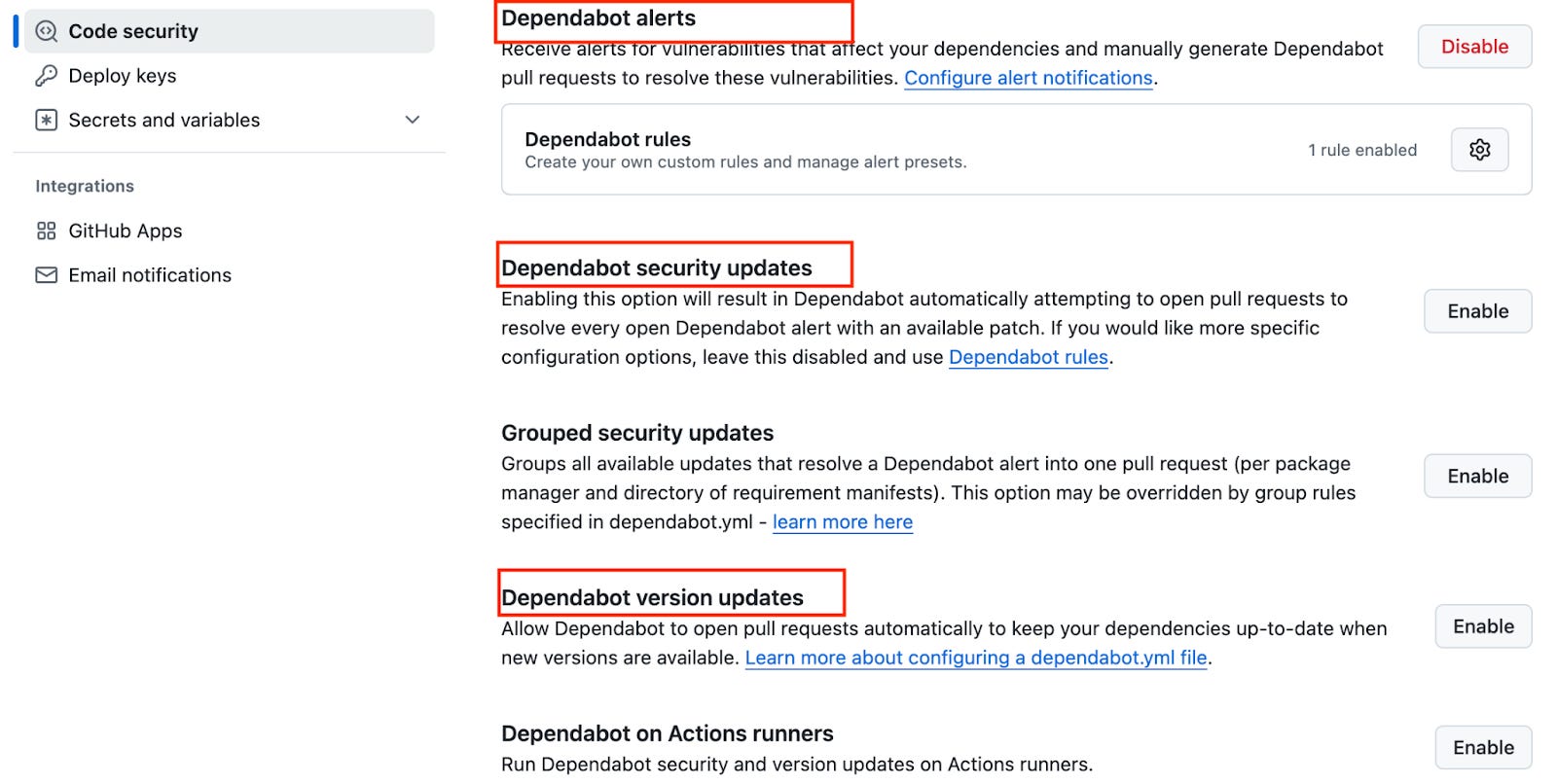
How does it work?
Dependabot watches the manifest, lock files in the repository and checks it against the GitHub Advisory Database where the list of vulnerable dependency are maintained.
Dependabot scans the code when a new advisory is added to the GitHub Advisory Database or when the dependency package list is updated in the repository.
Dependabot alerts rely on the dependency graph. It is important to keep your manifest and lock files up to date. If the dependency graph doesn't accurately reflect your current dependencies and versions, then you could miss alerts for insecure dependencies that you use.The dependency graph is a summary of the manifest and lock files stored in a repository
Pre-requisites:
Repository must contain manifest or lock files or ‘requirements.txt’ file for pip installing dependency packages in case of python . Only then dependabot would monitor those files.
Example for Dependabot Generating Security Vulnerability Report using Python:
Consider I have a Python repository with a ‘requirements.txt’ file containing the dependency packages to be installed. The content of the requirements.txt file is below. It just contains one package ‘python-jose’
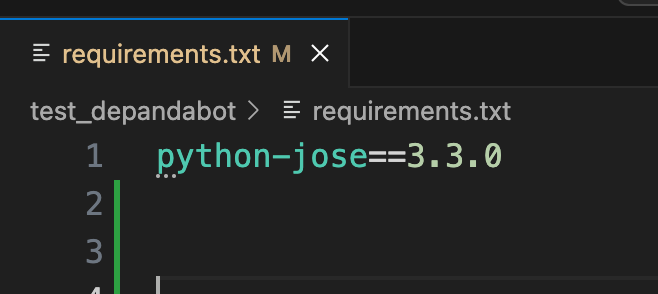
If I have Dependabot alerts enabled, then within a few minutes of pushing the requirements.txt file, I will get a security alert in the ‘security’ -> ‘Dependabot’ section as below
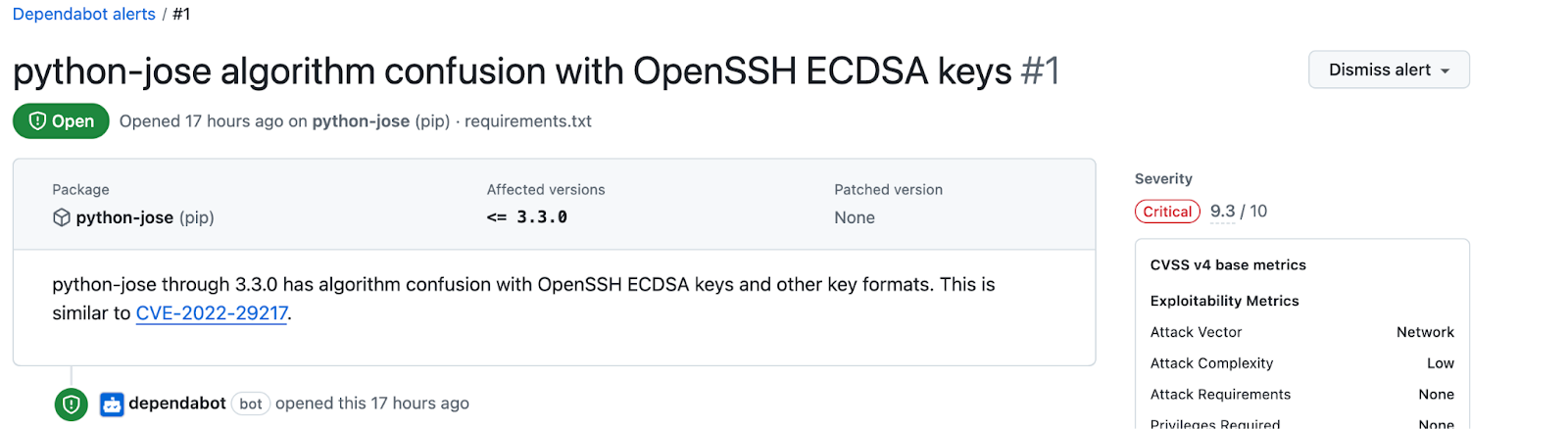
The above alert shows the affected package name, vulnerability severity and patched version of the package if available.
More details about dependabot can be found here
Hope you found this useful! Follow for more blogs